Snapshot

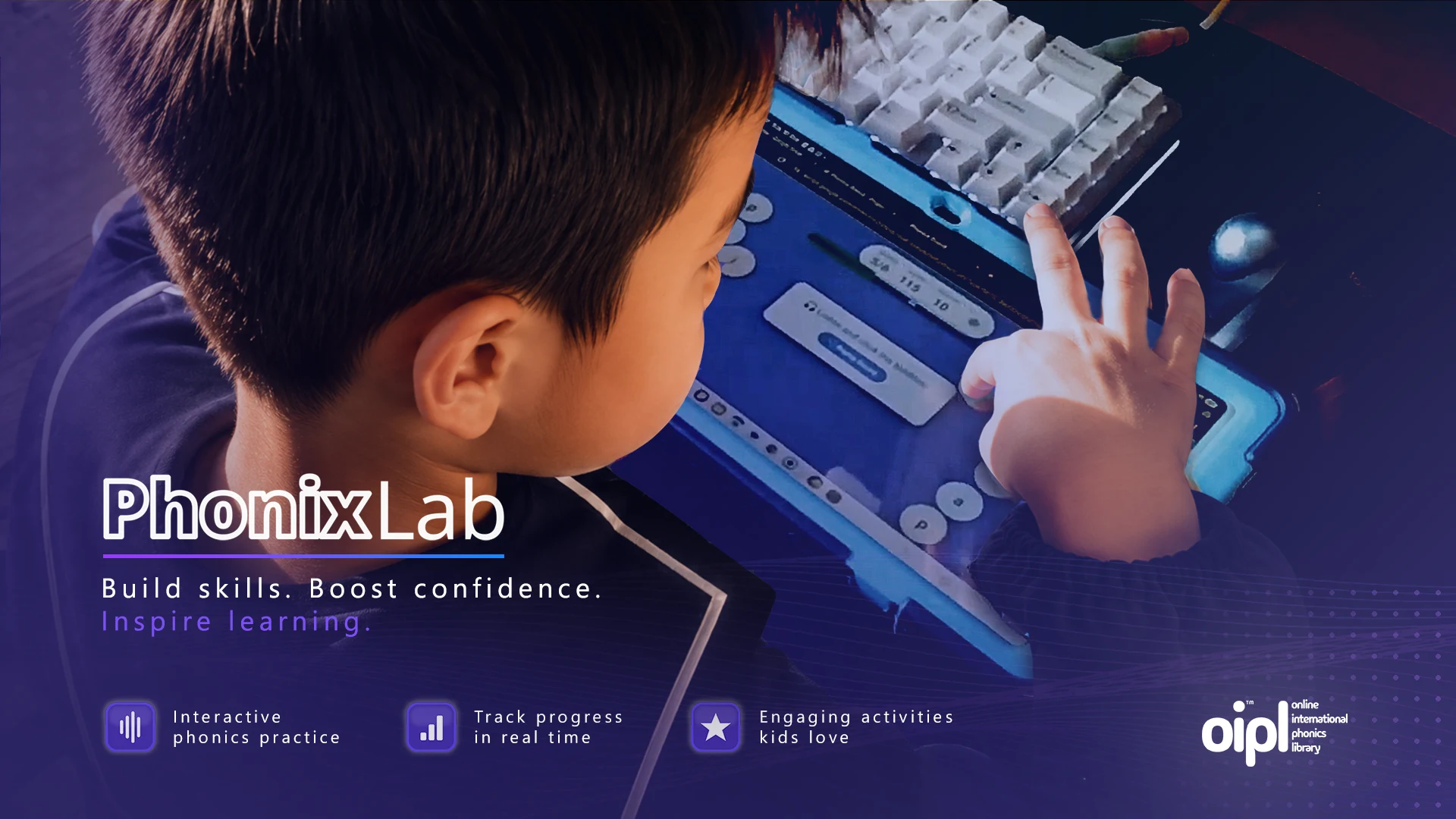
PhonixLab is a browser-based phonics platform for foreign-language classrooms – live since Jan 2026.
- Users 300+ students/wk across 11 schools
- Built 1 day/wk, Sep–Dec 2025
- Stack Google Apps Script + Sheets
- Audio OIPL (my own phonics API)
- Status Live, supported, still extending
- Code & Demo Private; auth module open-sourced
Project Overview
PhonixLab is a browser-based interactive phonics platform I designed and built for foreign-language classrooms in Japan. It runs entirely inside Google Workspace. Students play through phonics drills in various game modes using the same accounts and devices the school already provides, with no new infrastructure to set up.
The project grew from repeated observations in Japanese classrooms: many students struggle with English pronunciation, and teachers often feel under-equipped to deliver consistent phonics practice. When the national GIGA School Programme1 provided a device to every student, the timing was perfect. I created PhonixLab to turn that under-utilised hardware into significantly more time spent actively engaging with spoken English.
I designed, developed, and continue to support the platform single-handedly, with pedagogy shaped through close collaboration with teachers and curriculum leads across a partner education board. Built on Google Workspace primitives (Apps Script, Sheets, and native authentication), it requires no servers or external hosting. Lessons live in Google Sheets, teachers use a visual builder, and students join via simple class codes. All phonics audio is served from my Open International Phonics Library (OIPL2) – a curated, school-friendly audio source I created to be reliably compatible with strict educational content policies.
Highlights30-second skim
- Architecture Shared scoring backbone One scoring and leaderboard API reused across all game modes – one backbone, four interfaces.
- Privacy Multi-school, zero PII Names are never collected and upstream school IDs are obfuscated before storage, so cross-school leaderboards leak nothing.
-
Quotas
Quota-safe scoring
Live leaderboards run from
CacheService; Sheets are written once per session to stay inside Apps Script quotas. - Build Manifest-driven pipeline Collapses ~30 client-side source partials into two artefacts – fast Chromebook loads and tractable manual deploys.
- Infrastructure My own audio library Phonics audio served from OIPL, a curated single-domain audio source I built and submitted for the education board's approval.
The Problem I Was Solving
The honest gap was confidence. Many Japanese teachers told me they felt under-equipped to teach phonics, and the conventional model (one weekly lesson with a native English speaker) didn’t deliver the consistent practice phonics requires. Students needed something they could use in every lesson, not only on the days the foreign teacher was in the building.
A few constraints shaped every architectural decision after that:
- No new infrastructure. Schools couldn’t take on another vendor or another login. The platform had to live where teacher accounts already lived.
- Chromebooks first. Low-spec hardware, intermittent Wi-Fi, and aggressive school URL/IP filters were the baseline.
- Teacher time is the scarcest resource. Lesson setup had to take minutes, not hours.
- Privacy by default. Cross-school leaderboards were desirable; cross-school identification was not.
Built and Tested in Live Classrooms
Before the phase-by-phase story, note that one thing frames everything below. PhonixLab was regularly tested in live classrooms throughout the build. It was an exceptional use case for AI prototyping. During live lessons it would become very clear where students were hesitating. Sometimes it was the interface, sometimes it was difficulty level or a game that required more time designing. In many cases the prototype could be updated between lessons and an updated version could be in front of the class by the next period (thanks to some well designed build scripts).
The result is a feedback cycle measured in periods of the school day as opposed to sprints. Every phase that follows was shaped by it.
How I Shipped It
The following phases roughly follow the development arc from MVP through to multi-school production.
Phase 1 – Soundboard MVP and the Lesson Model
The first job was modelling phonics content cleanly. I settled on a structure where each voice profile groups sound families: vowels, digraphs, blends, and so on. The lessons reference this library by code, pulling sounds at runtime. Lessons are edited through a visual UI but stored in Sheets, which keeps them portable, inspectable and exportable.
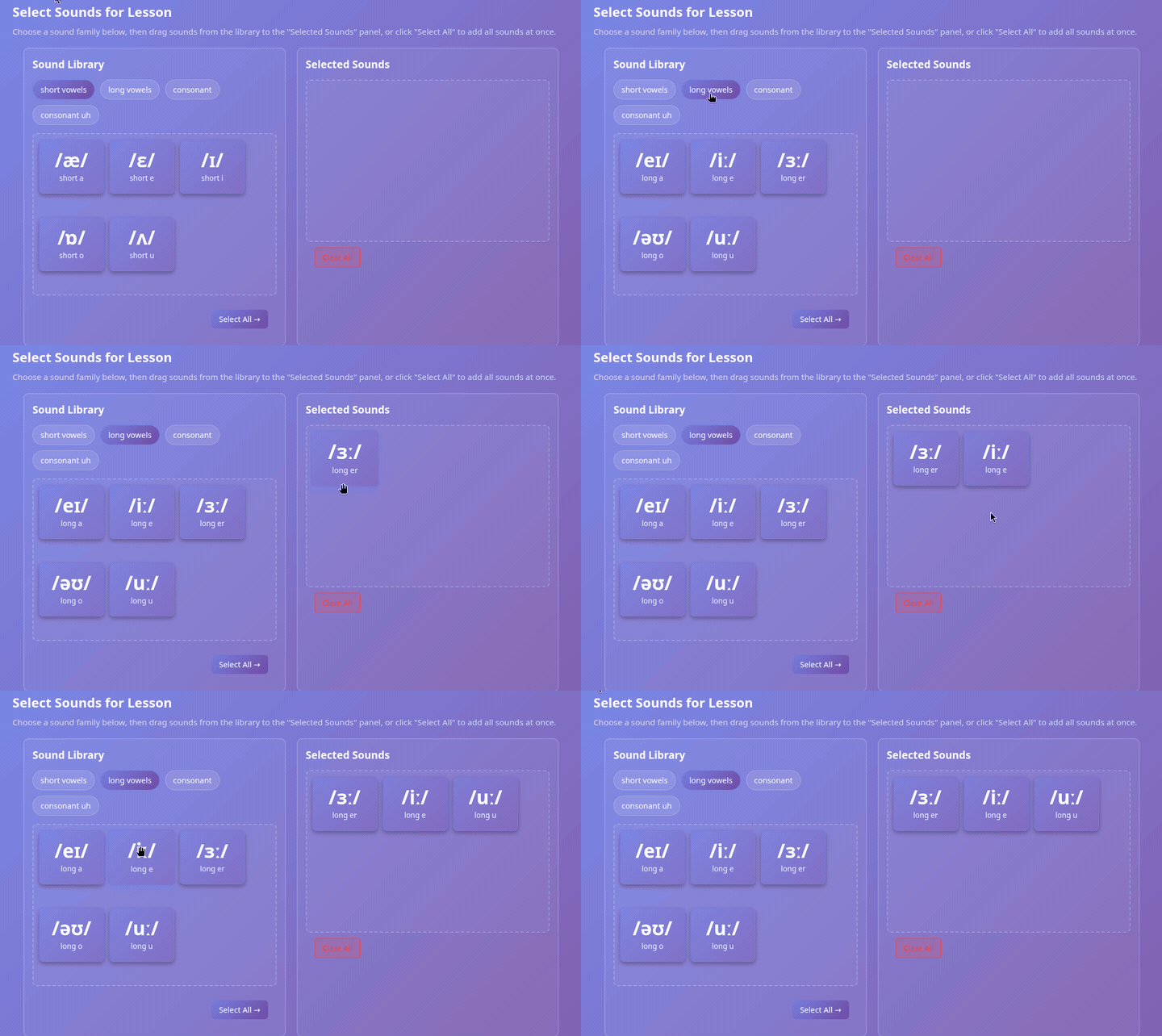
Lesson composition itself runs through a drag-and-drop two-panel selector pulling from the sound library – extracted into its own widget early so the same component could back any future content-management surface.
The build was manifest-driven from the start. build.js collapses ~30 client-side source partials into two artefacts (one CSS, one JS) – both to keep classroom load times tight on Chromebooks, and to make manual deployment tractable for anyone without clasp3. Pushing updates through the Apps Script editor is workable with two files; not dozens. A companion deploy step keeps environment-specific output out of git: the committed source is container.template.html, and the per-environment shell (container.html) is generated from it for dev, test and live, alongside the combined build artefacts.
{
  "styles": [
    "styles/global-css",
    "styles/karuta-mode-css",
    "… 13 more"
  ],
  "scripts": [
    "js-client/auth-api",
    "js-client/karuta-mode-funcs",
    "… 13 more"
  ]
}
Two ordered lists, one per artefact. build.js walks each, concatenates the partials in order, and writes one CSS file and one JS file; deploy.js then stamps those into a per-environment container shell. The HTML view fragments are never part of that bundle – they’re fetched on navigation. Three source trees, two build steps, one shell.
flowchart TB
    subgraph src["src/ – committed source, separated by type"]
        direction LR
        JS["js-client/
15 JS partials"]
        CSS["styles/
15 CSS partials"]
        TPL["html/template/
13 view fragments"]
    end

    MAN["scripts/manifest.json
include order"]
    BUILD["build.js"]
    DEPLOY["deploy.js"]

    JS --> BUILD
    CSS --> BUILD
    MAN -.->|drives| BUILD
    BUILD --> AJS["all-client-scripts.html"]
    BUILD --> ACSS["all-styles.html"]
    AJS --> CONTAINER["container.html
all JS + CSS up front"]
    ACSS --> CONTAINER
    DEPLOY -.->|stamps per env| CONTAINER
    CONTAINER --> BROWSER["Chromebook"]
    TPL -.->|fetched per view · google.script.run| BROWSER

    classDef src fill:#2a2e3a,stroke:#88a,color:#eee,stroke-width:1px
    classDef tool fill:#2a3340,stroke:#789,color:#eee,stroke-width:1px
    classDef out fill:#1f3a2a,stroke:#7c9,color:#eee,stroke-width:1px

    class JS,CSS,TPL src
    class BUILD,DEPLOY,MAN tool
    class AJS,ACSS,CONTAINER,BROWSER out
Bundling all the client code up front was a deliberate response to the classroom network. An earlier version lazy-loaded each mode’s JavaScript and CSS on demand, but on intermittent school Wi-Fi that proved unreliable – a half-fetched game mode mid-lesson is worse than a marginally longer first load. So every mode’s code and styling now ships inside the initial document, and only the lightweight view fragments are fetched as a student navigates, by which point the behaviour they need is already in memory.
Takeaway: Sheets is the constraint-driven choice – zero infrastructure and portable, account-independent lessons – with a repository layer keeping Firestore an option for when that calculus changes.
Phase 2 – Game Modes and Engagement
Four game modes were added in sequence – Karuta (a fast listening-and-matching game), Quiz Mode, a Flashcard Memory game and a picture-based Spelling game.
Each mode plugs into the same scoring backbone: points awarded by attempt, with a shared results carousel showing personal results, top-10 leaderboard and class stats.
Karuta has been the centrepiece – the one students pull up first and the one that became the architectural template every later mode borrowed from. Each mode wraps its logic in an IIFE (window.Karuta, window.Quiz, etc.) to keep the global scope clean as the codebase grew. A single ~160-line glassmorphic results overlay replaced what had become ~245 lines of duplicated CSS across modes – every mode now lands on the same end-of-game UX.
1
2
3
4
5
6
7
8
9
10
11
12
13
14
15
16
17
18
19
20
21
22
23
(function () {
    // Private state – never leaks to window
    let karutaConfig = {
        roundDuration: 10000,
        bubblesPerSound: 2,
        correctPoints: 10,
        incorrectPenalty: 5
    };
    let displayMode = 'grapheme';
    let karutaScore = 0;
    let karutaQueue = [];
    // ...

    function initKarutaMode(sounds) { /* ... */ }

    window.Karuta = {
        init: initKarutaMode,
        replaySound,
        togglePhysicsPanel,
        resetPhysicsDefaults,
        closeSettings: closeKarutaSettings
    };
})();
Each game mode wraps its state and logic inside an IIFE, exposing only a minimal surface on window. Adding a new mode never required revisiting the others – the IIFE boundary keeps each mode’s state isolated, and the global namespace stays predictable as the codebase grows.
Takeaway: The scoring, leaderboard and results layer is shared infrastructure: it wires into any new activity, and that reusability has served the system well as the platform grew.
Phase 3 – Authentication and Multi-Tenant Access
The shared authentication module was the first piece that started to feel like real product engineering. I built it as a reusable component (in my own time, alongside the main project) so other apps could plug into the same role hierarchy: admin → teacher → student.
Three layers of protection guard restricted areas:
- Server-side enforcement in Apps Script routes (
reqUserAuth('teacher')). - Client navigation guard – a
requireRole()helper that blocks unauthorised page initialisation. - Conditional UI rendering – teacher-only buttons never reach the student-facing DOM.
1
2
3
4
5
6
7
8
9
10
11
12
13
14
15
16
17
18
19
// Layer 1 – server route guard (main.js): hard stop before the template renders
case "html/template/teacher-dashboard":
    reqUserAuth('teacher');
    break;

// Layer 2 – client navigation guard (global_funcs.html): blocks page initialisation
case "html/template/teacher-dashboard":
requireRole('teacher', () => {
container.classList.add("container-column");
initTeacherDashboard();
});
break;

// Layer 3 – HtmlService template (student-landing.html): controls never reach the DOM
<? if (isTeacher) { ?>
<div class="teacher-access">
    <button onclick="navigateToTeacherDashboard()">Teacher Dashboard</button>
</div>
<? } ?>
Each layer is independent. The server-side guard is the only one that carries real security weight – reqUserAuth throws before the template even renders. The client navigation guard prevents blank or half-initialised page states for unauthorised users. The conditional render means teacher controls never reach the student DOM at all. Three distinct failure modes; three independent places to fix them.
Students join with a class code only; no login, no PII collected.
Takeaway: Real authorisation is layered: the server guard enforces it, the navigation guard stops pages half-loading, and conditional rendering keeps teacher controls out of the student’s DOM.
Phase 4 – Quota-Safe Scoring and Leaderboards
Apps Script has tight write quotas, and a classroom of 30+ students hammering Sheets in real time will hit them quickly. The fix was a two-tier scoring system:
- Live leaderboards run entirely from
CacheService, namespaced byclassId, with no spreadsheet writes during play. - End-of-session snapshots flush each class’s totals to Sheets exactly once, into
ResultsLog(per-student) andClassSummary(per-session). - School-wide leaderboards are cached queries on top, refreshed periodically for end-of-week recognition.
1
2
3
4
5
6
7
8
9
10
11
12
13
14
15
16
17
18
19
// During play: every score event writes to CacheService only – no Sheets writes.
function _saveLeaderboardData(lessonCode, data) {
    const cache = CacheService.getScriptCache();
    const key = _getCacheKey(lessonCode);
    data.lastActivity = new Date().toISOString();
    const isClassSession = data.uniqueStudents.length >= CACHE_CONFIG.CLASS_SESSION_THRESHOLD;
    const expirySeconds = isClassSession
        ? Math.ceil(CACHE_CONFIG.SESSION_TIMEOUT_MS / 1000)
        : CACHE_CONFIG.INDIVIDUAL_CACHE_EXPIRY_SEC;
    cache.put(key, JSON.stringify(data), expirySeconds);
}

// At session end: export cache, write to Sheets once, then clear.
function purgeLessonCache(lessonCode) {
const cacheData = exportCacheForPersistence(lessonCode);
const rowsWritten = saveTopScoresToSheet(cacheData);
clearLessonCache(lessonCode);
return { success: true, lessonCode, rowsWritten };
}
Apps Script’s write quotas would not survive 30 students scoring concurrently against Sheets. The fix was recognising that the live leaderboard needs consistency during play, not durability – durability can wait until the session boundary. Every score event writes only to CacheService; purgeLessonCache runs once at session end and handles the single batched Sheets write.
Admins can flush per-lesson or all-lesson caches on demand from the dashboard, so a teacher’s mid-class correction reaches the leaderboard immediately.
When the auth cache started occasionally collapsing every student into the same identity – a bug that broke leaderboards but not security – I tightened the cache invalidation logic so each session was bound to its real Google identity.
Takeaway: Cache keys decide what’s true on screen: one invalidation bug turned the leaderboard to nonsense while security itself stayed intact.
Phase 5 – Multi-School Rollout and Privacy
Once the platform needed to serve all 11 schools under the partner education board, the model had to grow up. I added a school repository, expanded teachers to belong to multiple schools (CSV-keyed), and extended every lesson, score and session with a schoolId.
Authentication piggybacks on the school’s existing Google accounts, whose login IDs encode the student’s starting year, class and student number. They’re stable, but they’re also leaky – and they’re a schema PhonixLab doesn’t control. So the platform transforms them into stable but opaque identifiers before they reach the cache or leaderboard, and names are never collected at all. Cross-school leaderboards mix schools freely because there’s nothing identifying at either layer.
Takeaway: Privacy here came down to two refusals: collect no names, and never depend on a schema you don’t own.
The CDN Problem (and Why OIPL Exists)
The hardest production blocker had nothing to do with code. School URL filters and IP-based CDN throttling were silently breaking audio playback for students – small files, served from a major CDN, blocked at the school gateway.
The fix was the Open International Phonics Library (OIPL2): an open phonics audio library and API I built to serve curated phonics recordings under a single trusted domain. It was built partly to solve PhonixLab’s data egress problem inside the schools’ Google Workspace – a trusted source had to be submitted for approval before it could clear the gateway. OIPL was that source. The partner education board signed off in December 2025.
OIPL gave PhonixLab a single, allowlisted domain to fetch audio from, with no shared-IP throttling. It is now the canonical audio source for the platform.
Results and Current Status
- 300+ students a week across the 11 schools of a partner education board, using the platform during scheduled lessons.
- Students use PhonixLab outside class time – a clear signal the activities are engaging and fun.
- Continues to receive curriculum support and active updates from me directly.
- Reception has been strong from teachers and students alike – students ask to play it in almost every lesson, which is the only metric that ever really mattered.
“Almost every lesson” is the bar I was aiming for. That’s success.
PhonixLab is live, supported, and still evolving. The leaderboard, scoring and auth scaffolding has held without rewrites since Phase 4 – every new game mode has plugged into it directly.
What’s Next
The next concrete piece of work is activity-specific leaderboards – per-mode filters in the results carousel and dashboard, so teachers can see how a class is doing in Karuta versus Quiz versus Spelling rather than only the combined score. Identifying which activities are actually driving progress is pedagogically crucial.
Beyond that, the architecture leaves room for a Firestore migration if scale ever demands it: the data access is already layered through repositories and services, and the multi-school model maps cleanly onto Firestore collections. Apps Script + Sheets has held up well so far, but the door is deliberately left open.
Let’s Connect
If you work in education, edtech, or Google Workspace-based internal tools, I’d be happy to compare notes on what worked here.
Prefer to email me directly? hello@lundie.io
Thanks – your message is on its way. I'll get back to you soon.
Something went wrong sending that. Please try again, or email me directly at hello@lundie.io.
Explore more of my work
-
The GIGA School Programme is a Japanese government initiative to equip every primary and secondary student with a personal computing device, accelerating digital learning across the national curriculum. ↩
-
OIPL is my own open phonics audio library and API – a single trusted domain for serving curated phonics recordings inside school Google Workspaces. Live at openphonics.org; case study coming separately. ↩ ↩2
-
clasp is Google’s CLI for Apps Script – it lets you push code from a local editor to an Apps Script project, instead of pasting it through the web editor by hand. ↩